Nanabush · B2B · Learning platform
Clarity for the people behind the platform
I redesigned the initial version of a learning platform so administrators can prepare the system for launch, manage users and see position readiness. Three workflows are in production, a fourth is in progress.
- My role
- Product design + UI implementation
- Collaboration
- CEO, CTO, Frontend
- Delivery
- Setup, user details and positions shipped; career map in progress
Context
From working features to understandable workflows
The platform grew out of customer-development interviews with HRBOX clients about their learning system. The CTO and CEO built the initial version with AI assistance. My work reorganized the interface around administrators’ tasks. I changed screen structure, components and visual design directly in code, passed the implementation through frontend review and shipped it to production.
Decision 01 · Shipped
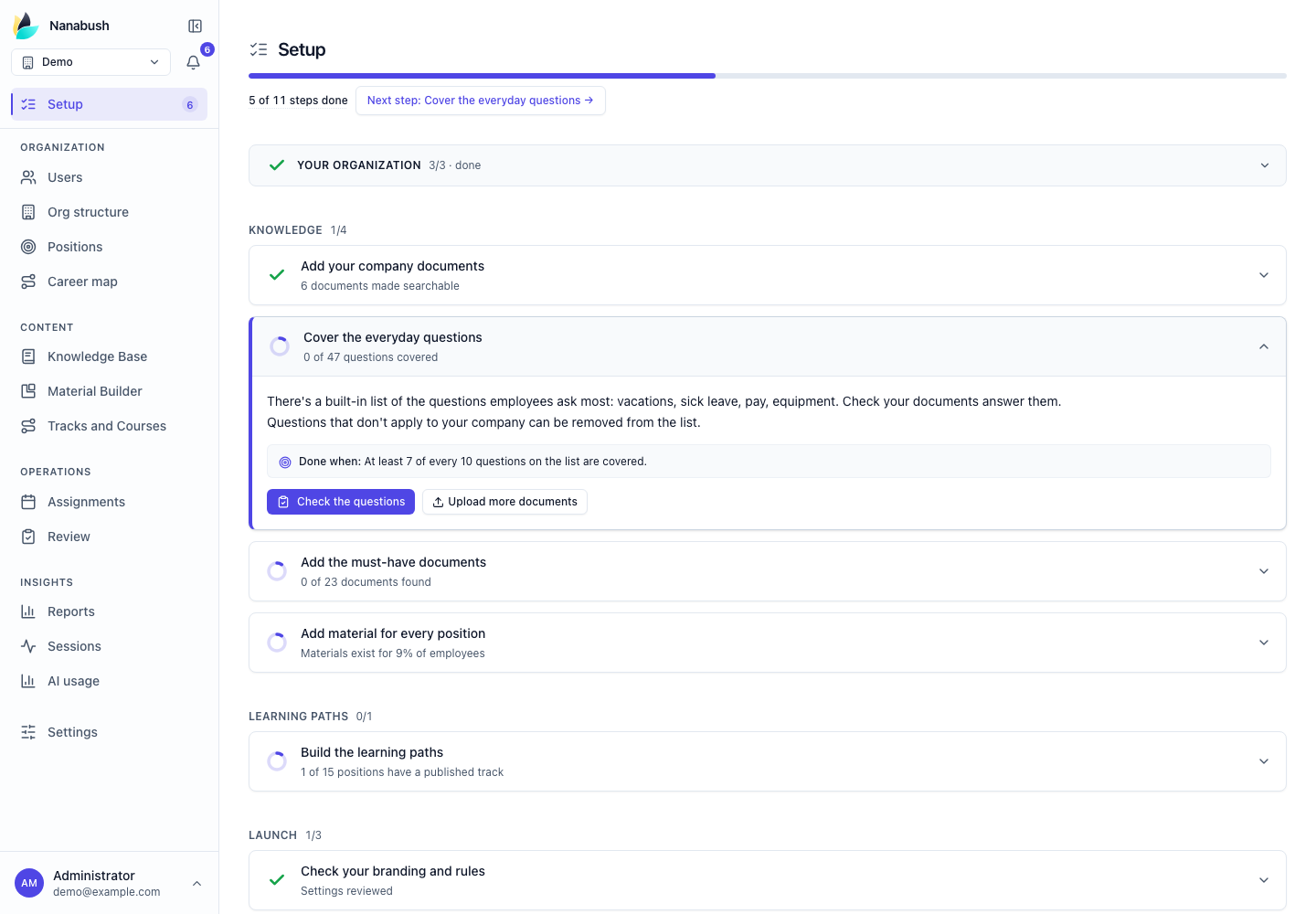
Setup: a clear path to launch
Starting point
Administrators faced a list of setup tasks without a clear order.
My decision
I reorganized setup into a sequence: organization → knowledge → learning paths → launch. Each step shows its status and next action, while blockers explain the dependency and link directly to a fix.
Decision 02 · Shipped
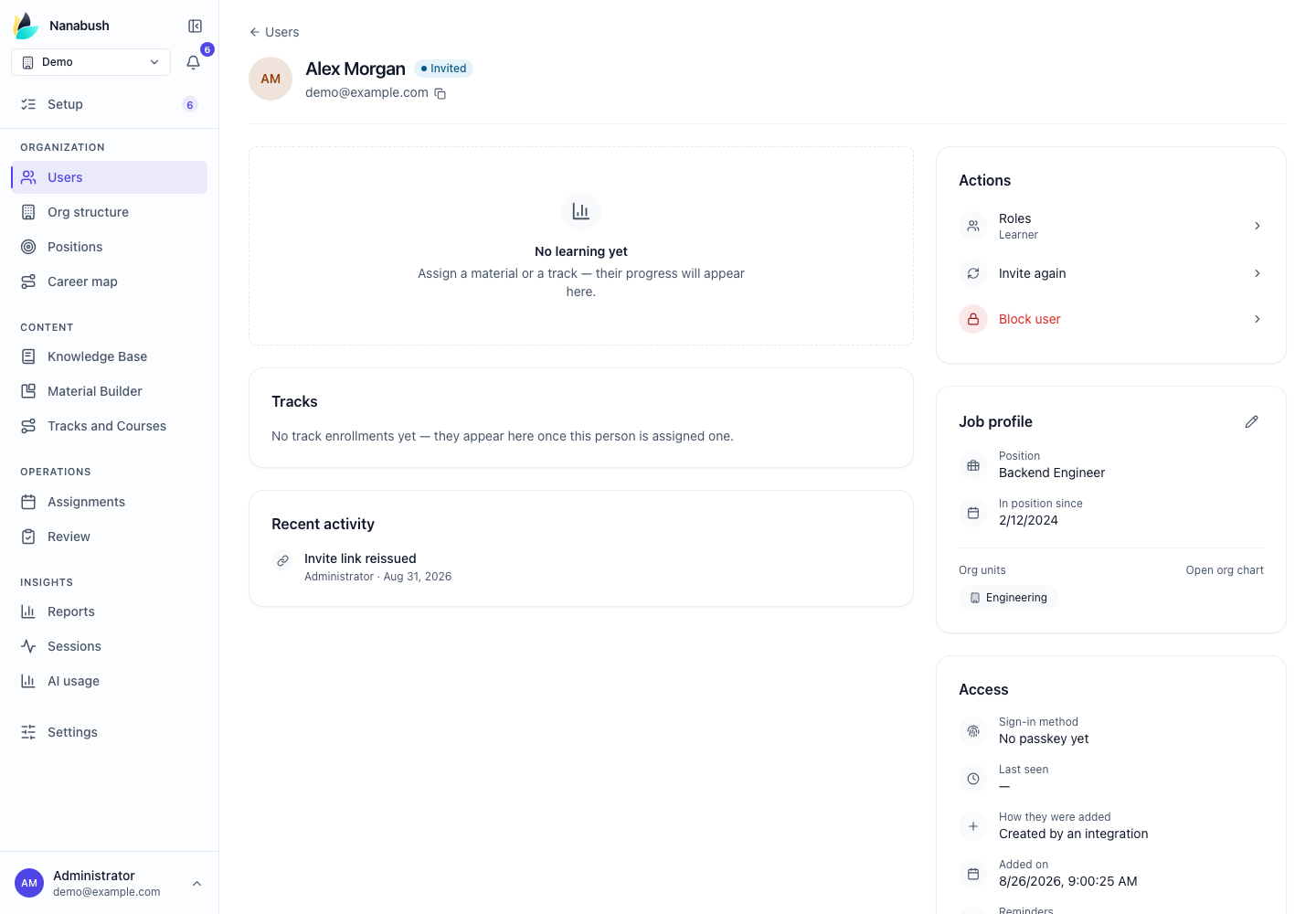
User details: context and actions together
Starting point
The user card showed a name and login date. That was not enough to manage access or understand the employee’s learning.
My decision
I combined position, sign-in methods, activity, assigned tracks and reports in one view. Administrators can also block access or reset a password from the same context.
Decision 03 · Shipped
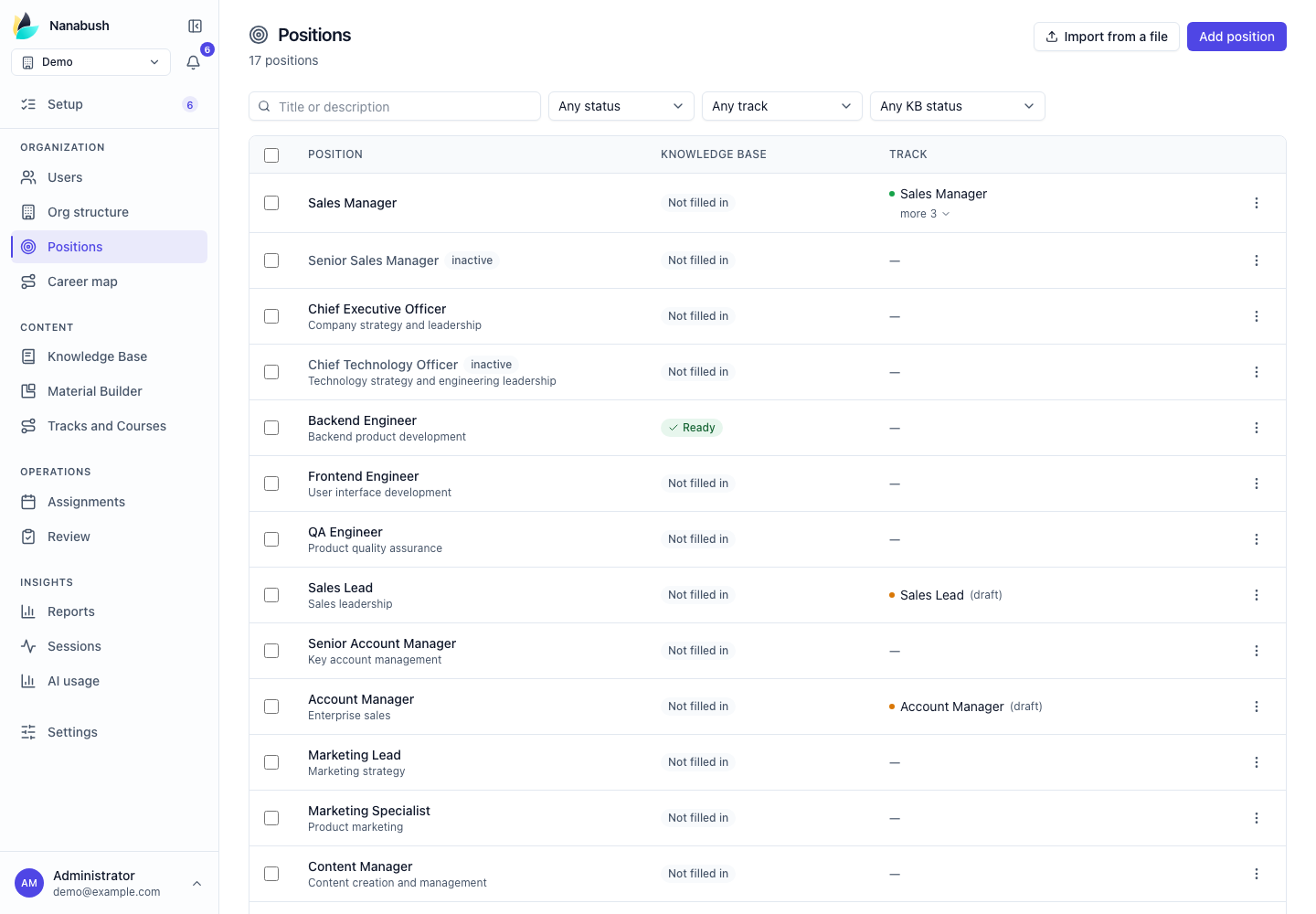
Positions: spot a gap and act on it
Starting point
Assessing a position meant checking its requirements, relevant materials and learning tracks. The overall state was hard to read.
My decision
I made readiness visible in the list through requirements, materials and linked tracks. Statuses distinguish gaps from unchecked data, with direct links to complete missing setup.
Decision 04 · In progress
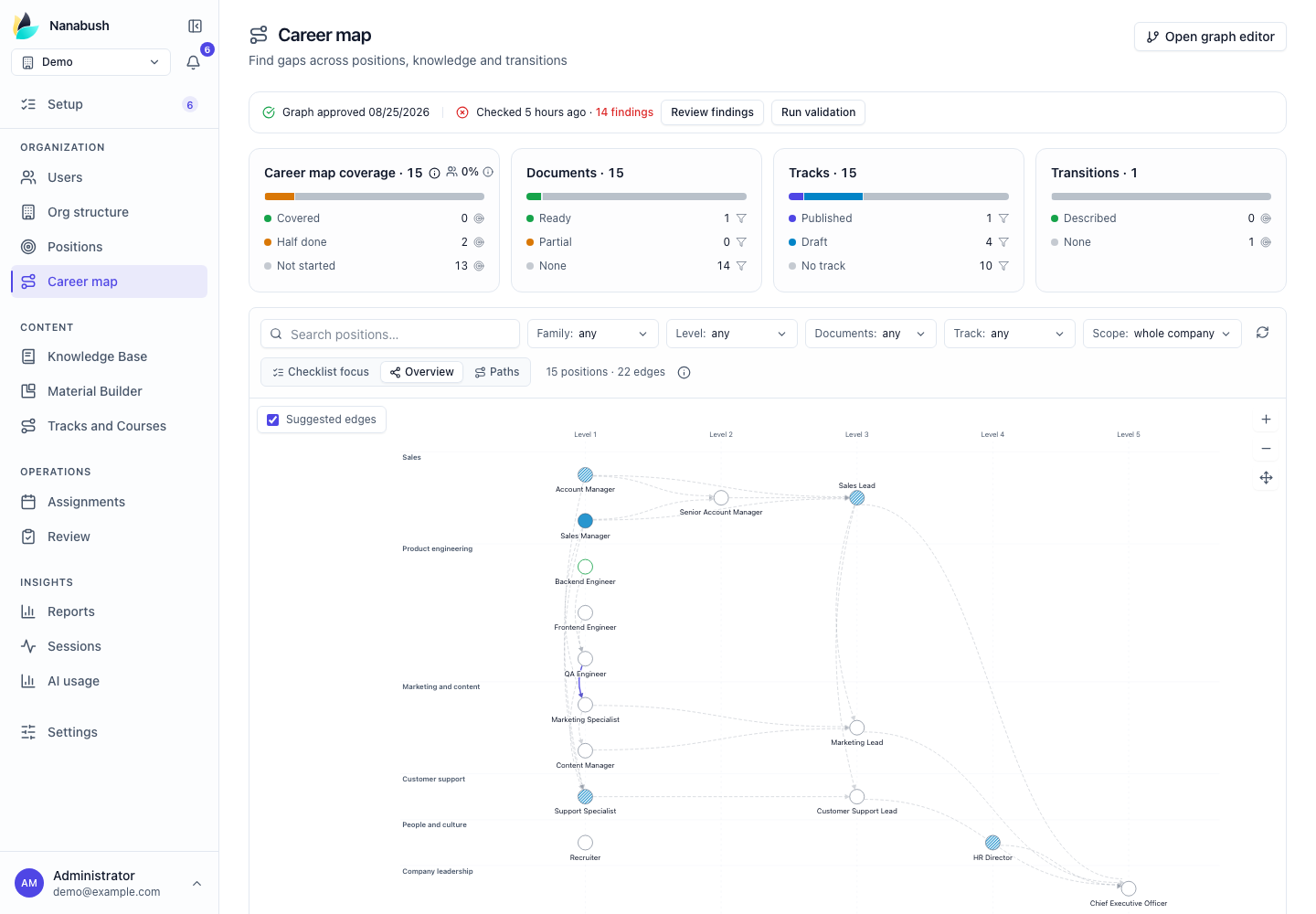
Career map: connecting readiness and development
The current iteration is the career map. It connects positions and transitions with the readiness of materials and learning tracks. The interface separates these states so administrators can locate a gap and navigate to the relevant setup task.